HR Central
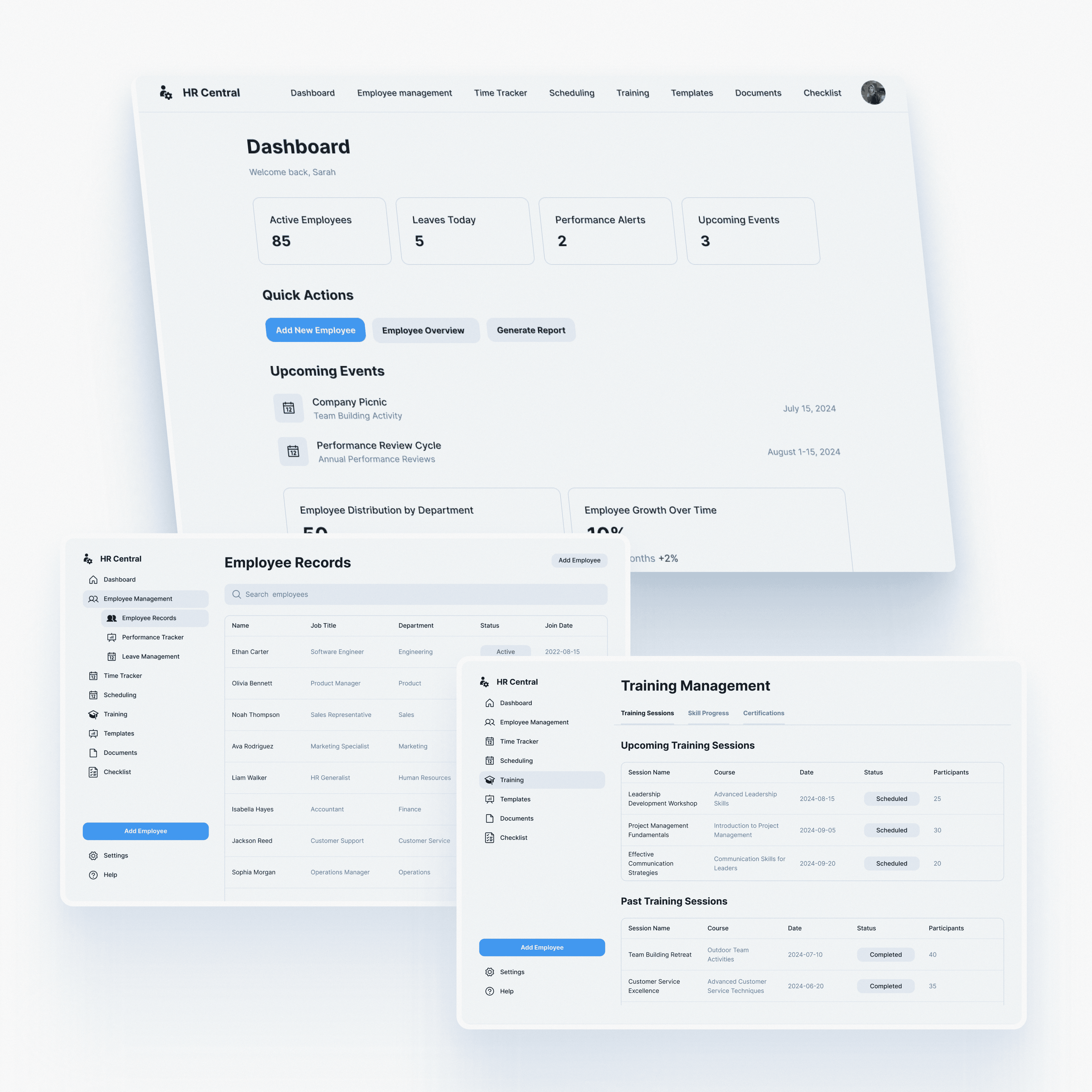
HR Central is a comprehensive Human Resource Management System (HRMS) designed to streamline workforce management for large-scale enterprises.
CLIENT:
Alessandro Moretti
CTO
INDUSTRY:
Enterprise SaaS
TIMELINE
4 weeks
TYPE:
UI UX Design
About
HR Central is a comprehensive Human Resource Management System (HRMS) designed to streamline workforce management for large-scale enterprises. As the Product Design Team, we were responsible for translating complex data sets and administrative workflows into a clean, intuitive interface.
The goal was to build a "Single Source of Truth" where HR managers could handle everything—from attendance to legal documents—without switching between multiple fragmented tools.
Challenge
Managing a large workforce involves juggling hundreds of data points daily. The client identified three major pain points for HR managers:
Data Fragmentation: Employee records, leave requests, and payroll data were scattered across different platforms.
Inefficiency: Simple tasks like approving leave or finding a contract took too many clicks.
Cognitive Load: Existing enterprise software looked outdated and cluttered, leading to user fatigue.
Findings
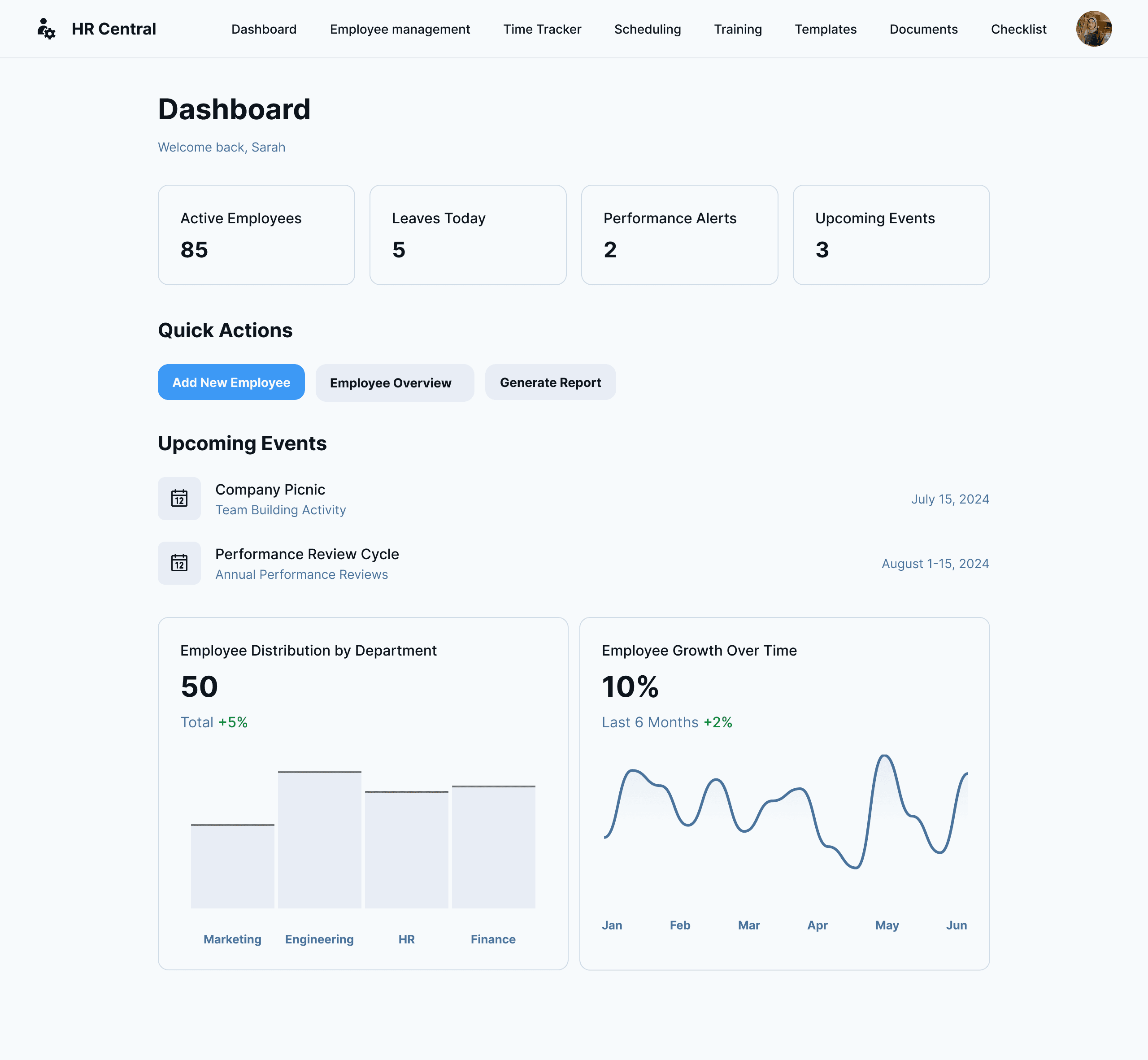
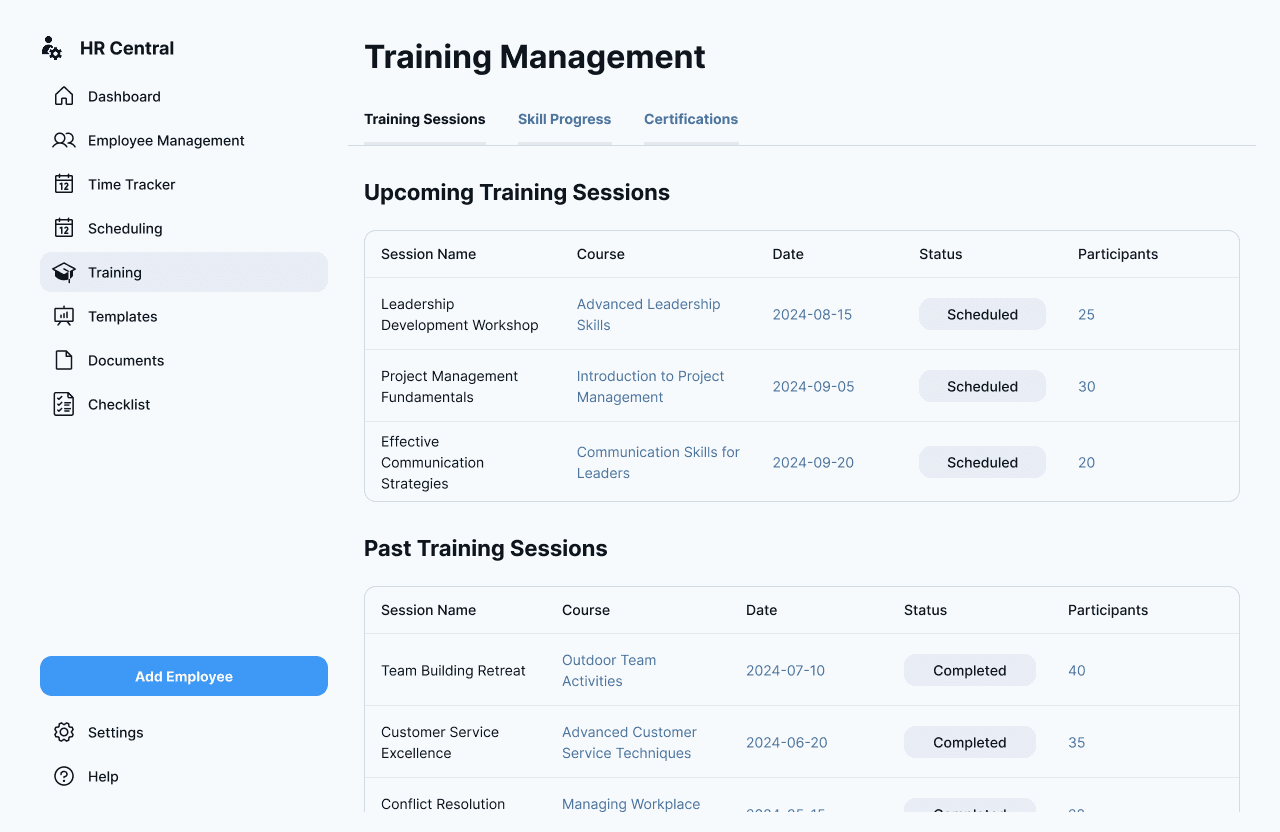
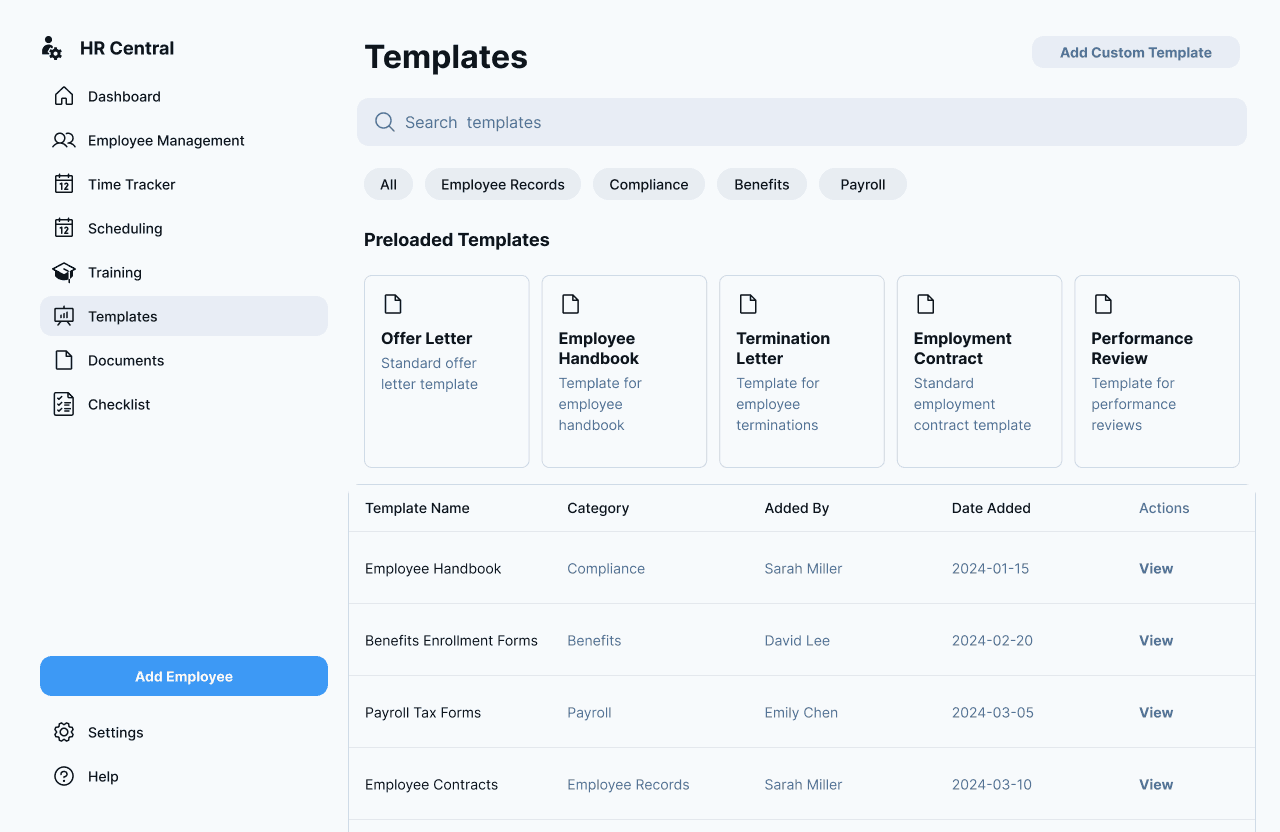
We designed a centralized dashboard focused on clarity and efficiency. The UI utilizes a clean sidebar navigation structure and a high-contrast card system to organize information hierarchy effectively. The result is an interface that feels lightweight even when handling heavy data.
Key Features & Design Details
1. The Command Center (Dashboard)
To reduce overwhelm, the main dashboard provides an "at-a-glance" view of the company's health.
Quick Stats: We placed critical metrics like "Active Employees" and "Leaves Today" at the top for immediate visibility.
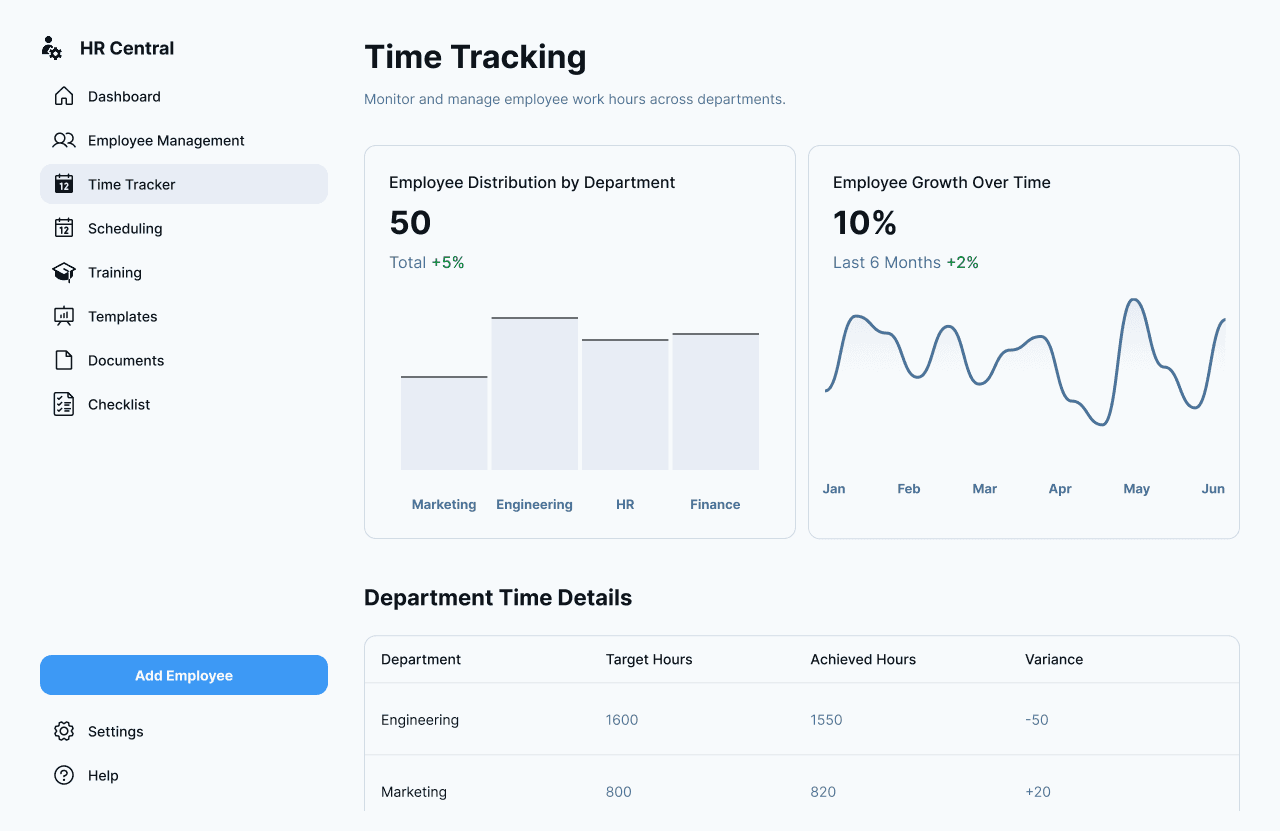
Visual Data: Instead of raw numbers, we used smooth line graphs to visualize "Employee Growth Over Time," allowing stakeholders to spot trends instantly.
2. Streamlined Employee Management
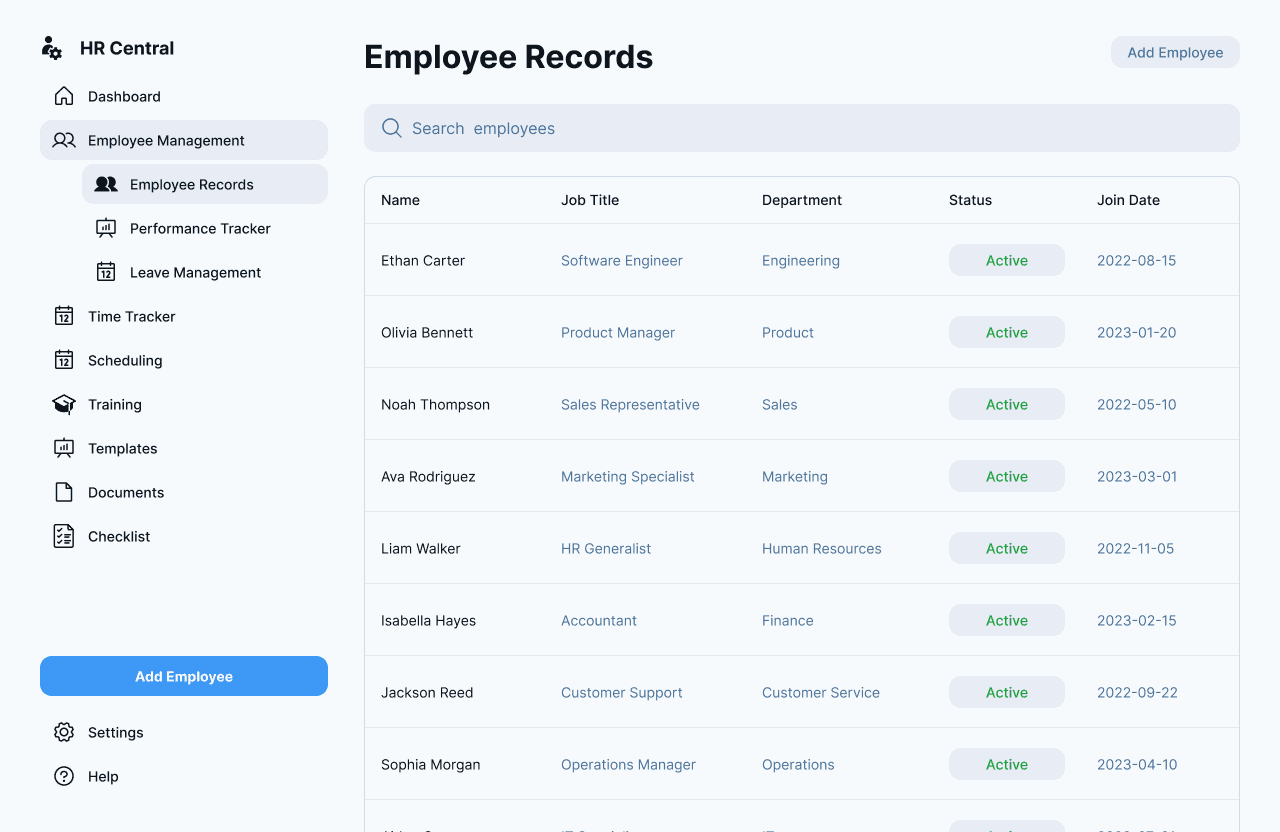
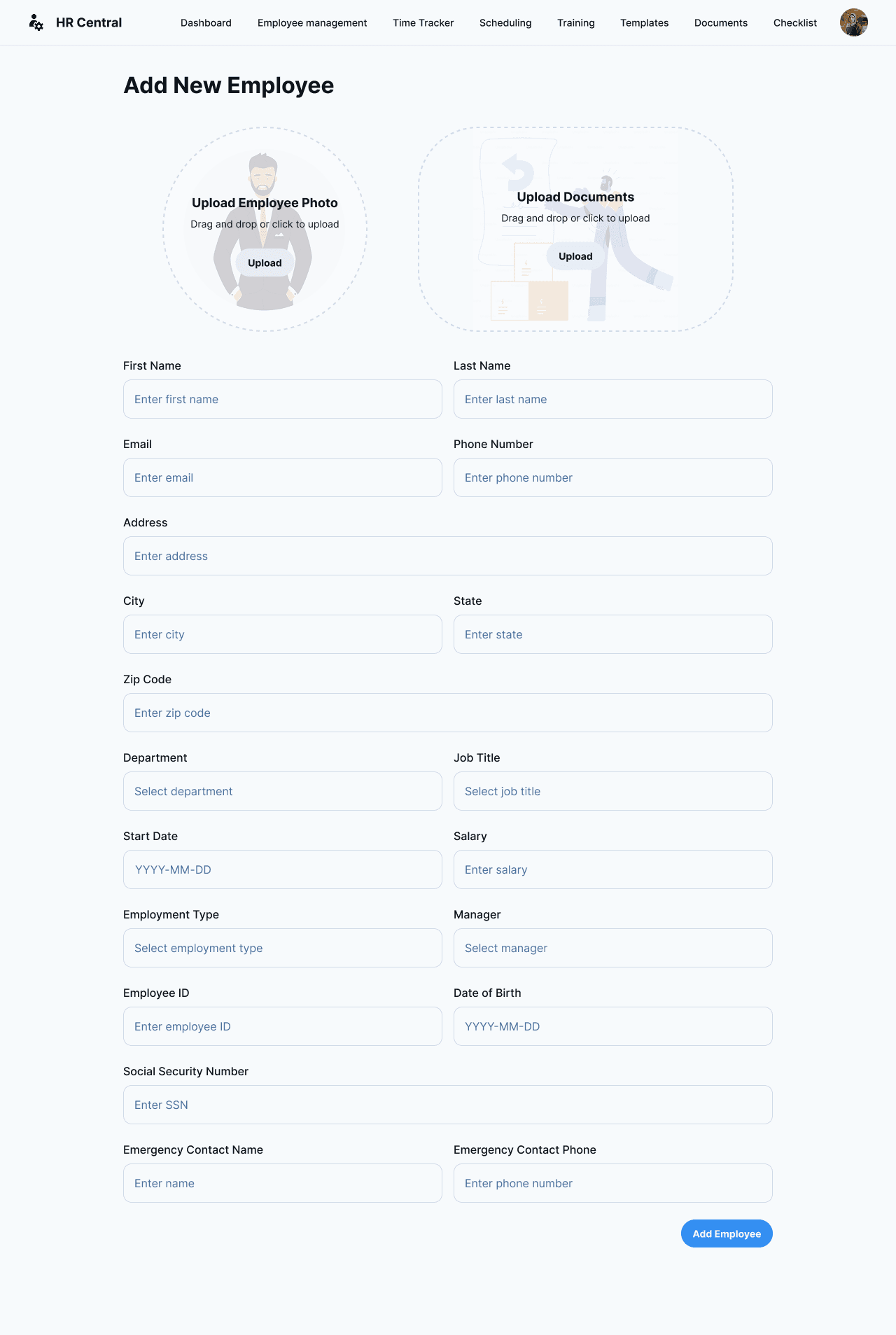
The core of the system is the Employee Records section.
Status Indicators: We used clear "Active" pills (green/grey) so managers can quickly assess workforce status.
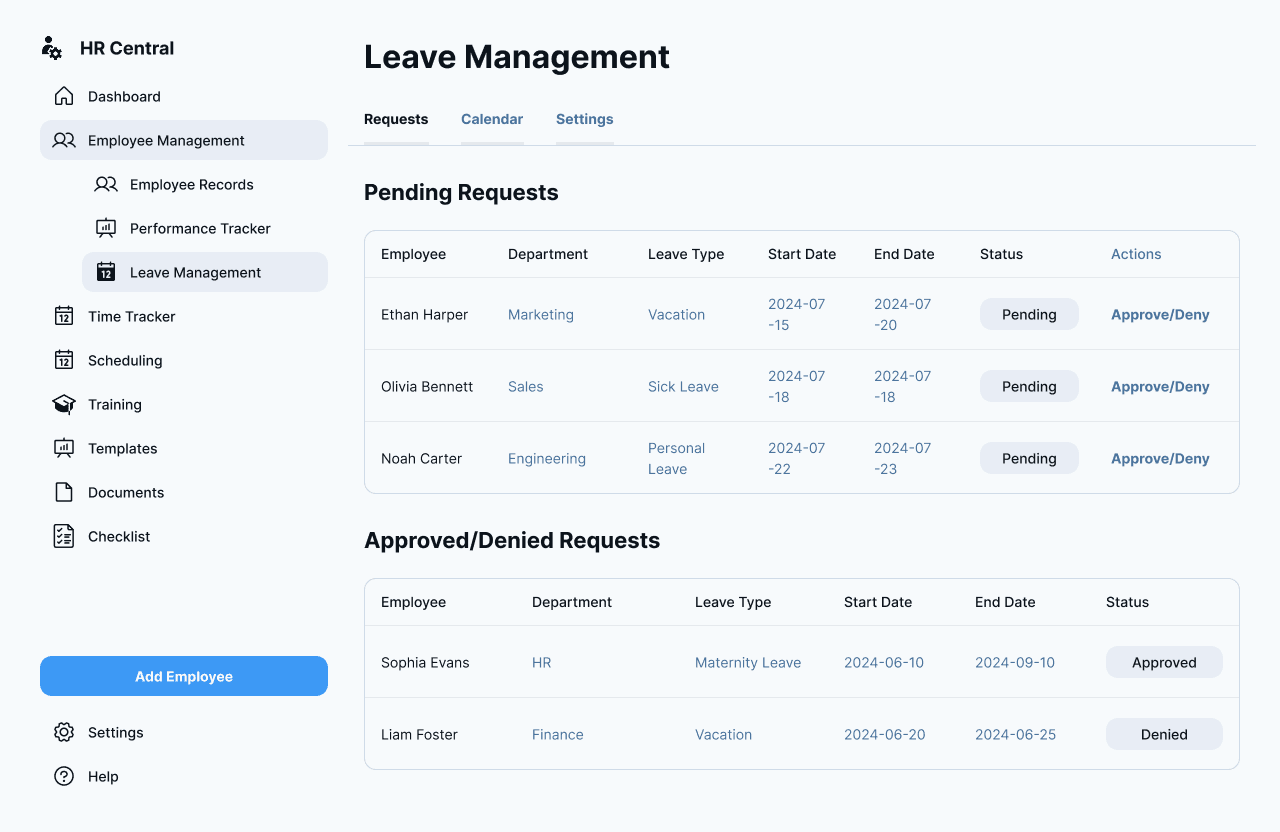
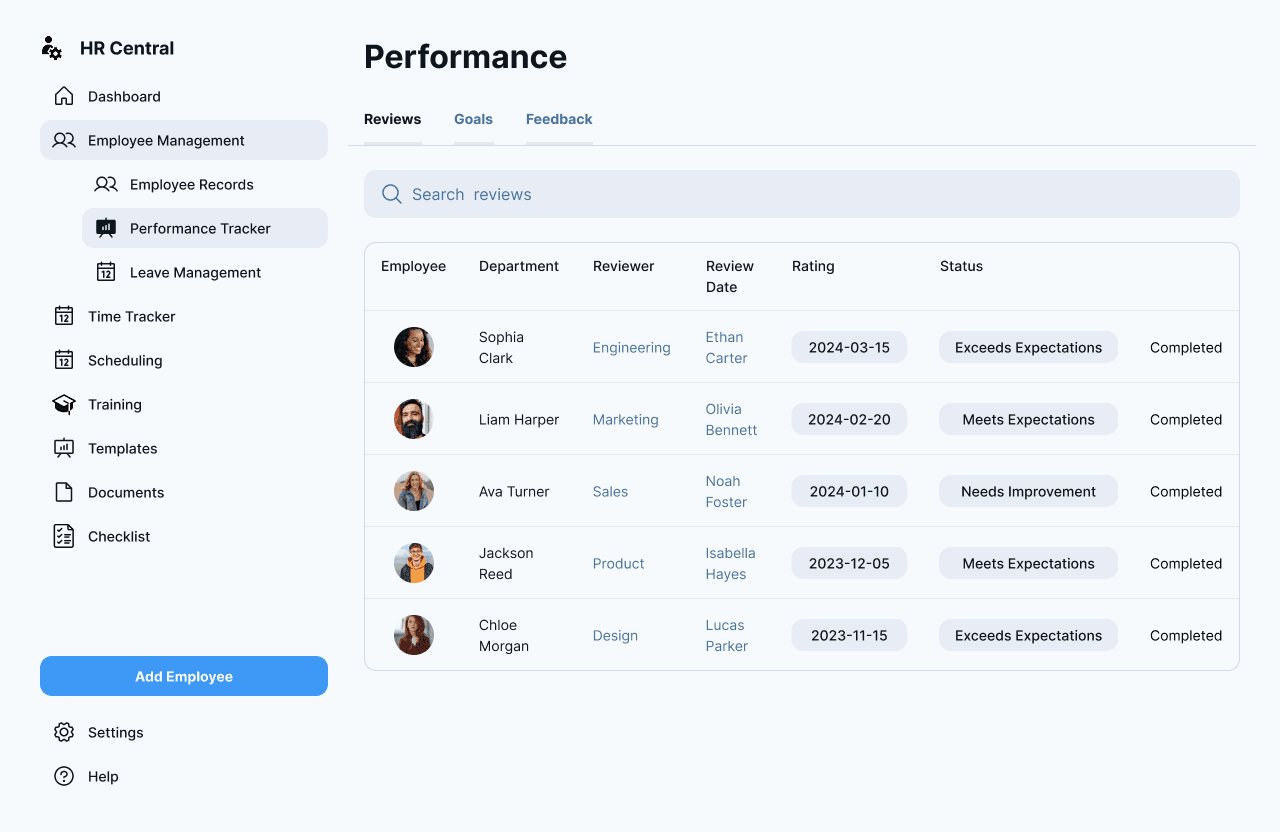
Tabbed Navigation: To keep the interface clean, we split the management into sub-sections (Records, Performance, Leave) rather than cluttering one long page.
3. Action-Oriented Workflow (Leave & Checklists)
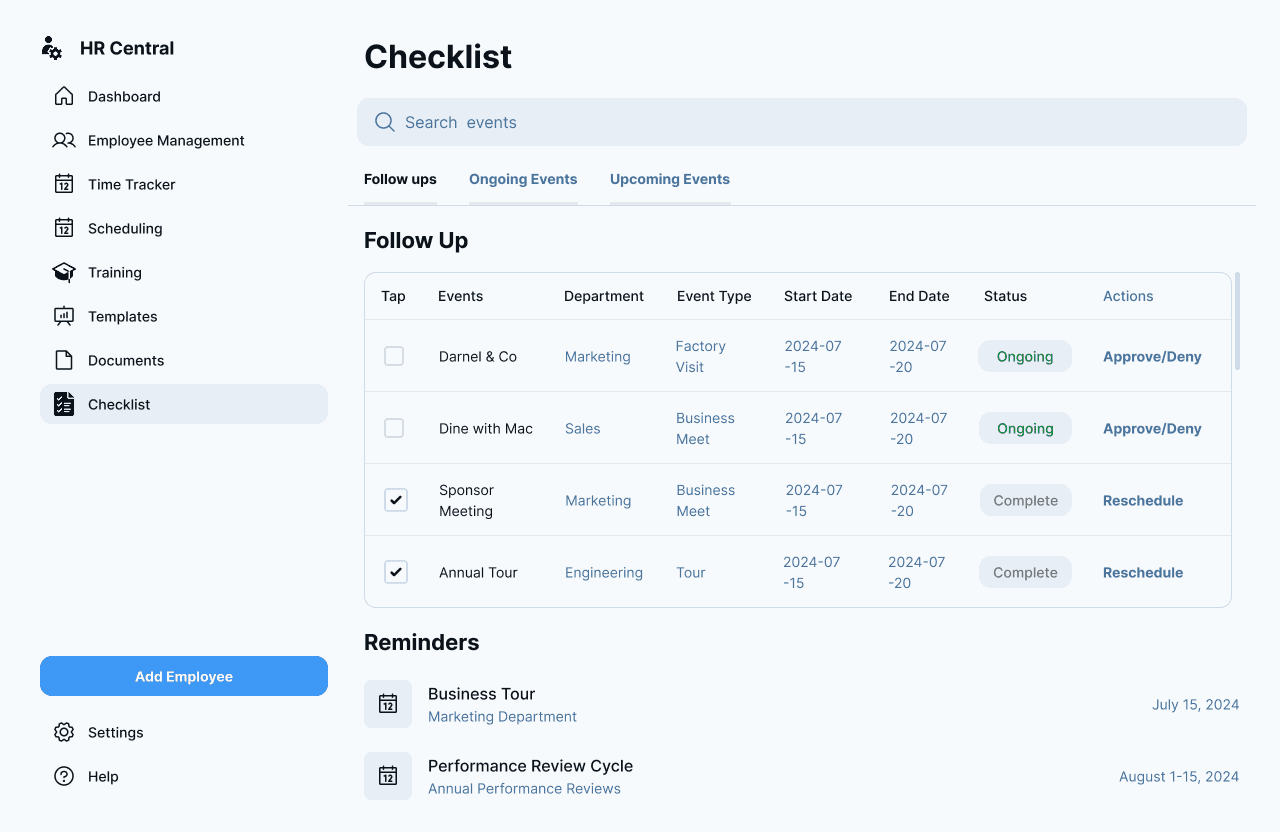
For actionable items like Leave Requests and Daily Checklists:
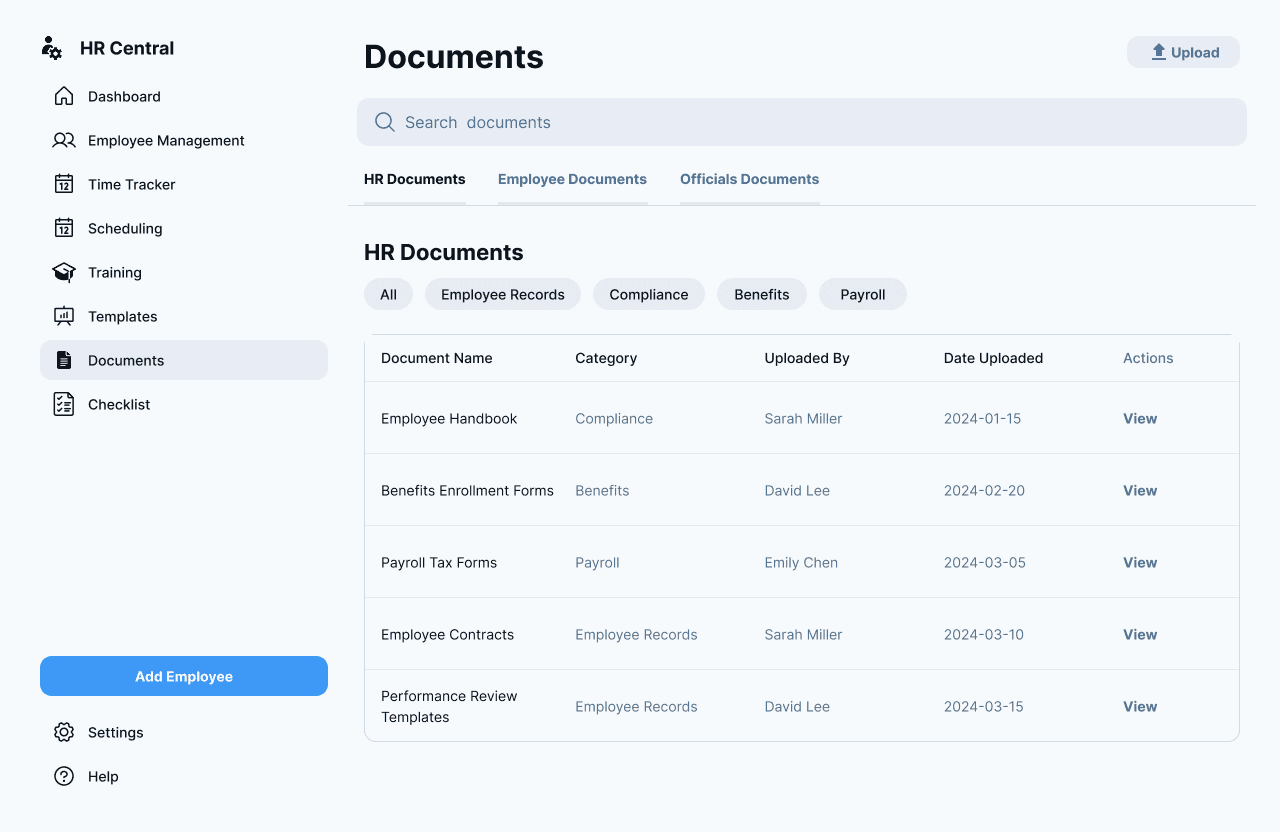
Quick Actions: We implemented direct "Approve/Deny" buttons right in the table rows. This reduces friction, allowing managers to clear their queue without opening every single ticket.
Clear Hierarchy: "Pending" items are visually distinct from "Approved/Denied" history to prevent errors.
4. Data Visualization (Time Tracking)
For the Time Tracking module, our team focused on comparing targets vs. reality.
Bar Charts: Used to compare departmental distribution (Marketing vs Engineering).
Variance Tracking: The table highlights variance (e.g., -50 hours) to help managers spot underworked or overworked teams immediately.
Visual Style & Accessibility
Color Palette: We chose a professional "Trust Blue" as the primary brand color to evoke reliability. The background is kept strictly light gray/white to maximize readability for text-heavy tables.
Typography: A robust sans-serif font family was chosen for its legibility at small sizes, ensuring that dense data tables remain easy to scan.
The Impact
HR Central transforms the chaotic day-to-day of human resources into a structured, manageable process. By focusing on actionable data and reducing click depth, our design allows HR professionals to spend less time on administration and more time on people strategy.
Testimonial
Before working with your team, managing our employee data was a chaotic mix of spreadsheets. The HR Central dashboard completely transformed our workflow. It’s rare to find a design that handles such complex data while remaining so simple to use. Truly excellent work
Alessandro Moretti
Founder & CEO
More to explore
Show Projects