Framer vs Webflow
A data-driven breakdown for SaaS founders who can't afford to get this decision wrong.
AUTHOR:
IFEMON Studio | Marketing Websites for SaaS Founders
CATEGORY
Website Builder · UX Strategy · SaaS Growth
READING TIME:
~ 12 minutes
DATE:
20th May, 2026
Framer vs Webflow: Which Is Better for Your SaaS in 2026?
Every serious SaaS founder eventually hits the same crossroads: you need a website that converts, loads fast, ranks on Google, and doesn't cost you a developer's annual salary to maintain. In 2026, the two platforms dominating that conversation are Framer and Webflow.
They're both modern. Both no-code-first. Both used by companies you recognize.
But they are not interchangeable — and choosing the wrong one for your specific stage and use case can quietly cost you conversions, SEO rankings, and engineering hours you don't have.
This guide breaks down every dimension that matters for SaaS founders: speed, SEO, design flexibility, CMS, and pricing. Where relevant, it pulls from real build patterns observed across Framer-based SaaS projects — including work done at IFEMON Studio, a Framer-specialized agency serving AI and SaaS startups.
Let's get into it.
The Short Answer (If You're in a Hurry)
Framer | Webflow | |
|---|---|---|
Best for | Early-stage SaaS, AI startups, design-led brands | Growth-stage SaaS, content-heavy sites, complex CMS needs |
Speed | ✅ Faster out of the box | ⚠️ Requires optimization |
SEO | ✅ Strong core, improving fast | ✅ More mature tooling |
Design Flexibility | ✅ Pixel-perfect, motion-native | ✅ Powerful but heavier learning curve |
CMS | ⚠️ Good for simple structures | ✅ More robust for complex schemas |
Pricing | ✅ Lower entry cost | ⚠️ Scales up quickly |
Developer handoff | ✅ React component export | ⚠️ Custom code, not clean React |

Lets Elaborate
1. Page Speed: Where Framer Wins Decisively
Speed isn't a vanity metric for SaaS websites. A one-second delay in load time reduces conversions by an average of 7%, and Google's Core Web Vitals directly influence your paid acquisition Quality Score.
Framer's Performance Architecture
Framer's output is static-first React, hosted on a global CDN by default. There's no server-side rendering bottleneck on typical marketing pages. Images are auto-compressed and served in modern formats (WebP/AVIF). Fonts load with font-display: swap by default.
Real-world Lighthouse scores on optimized Framer builds for SaaS marketing sites regularly land in the 90–98 range for Performance on both mobile and desktop — without post-launch optimization work.
At IFEMON Studio, SaaS clients have consistently seen sub-1.5s First Contentful Paint on Framer-built sites, even with full-bleed hero animations and glassmorphism-heavy UI — effects that would noticeably degrade performance on other platforms.
Webflow's Performance Reality
Webflow generates semantic HTML/CSS, which is clean — but it ships a heavier JavaScript runtime, and its interaction/animation engine (IX2) can add meaningful weight to pages that use it heavily.
Webflow's CDN (backed by Fastly) is solid, but unconfigured Webflow sites with rich animations frequently score in the 65–82 Performance range on mobile without deliberate optimization — lazy-loading audits, interaction weight reduction, and image pipeline tuning.
Webflow's performance ceiling is high, but reaching it requires intentional effort. Framer's floor is already closer to that ceiling.
Verdict: Framer wins on speed, especially for animation-rich SaaS landing pages where visual quality can't be compromised.
2. SEO Capabilities: More Nuanced Than You Think
Both platforms have matured significantly on SEO. Neither will be your bottleneck if you know what you're doing. But the type of SEO they support best differs.
Technical SEO Fundamentals
Both platforms cover the basics:
Custom meta titles and descriptions per page
Open Graph and Twitter Card tags
Canonical URLs
301 redirects
XML sitemap generation
robots.txt control
Neither requires a plugin or workaround for these — they're first-class features in both.
Where Webflow Has a Historical Edge
Webflow has had a longer runway to build out SEO tooling. Its CMS-driven SEO is particularly strong: you can template meta tags, structured data (JSON-LD), and canonical logic across thousands of CMS items at once. For content-driven SaaS plays — those building programmatic SEO pages, resource libraries, or changelog hubs — Webflow's CMS-SEO integration remains more battle-tested.
Webflow also offers more granular control over heading hierarchy in complex multi-section layouts, which matters for on-page optimization at scale.
Framer's 2025–2026 SEO Improvements
Framer has closed much of the gap. As of 2025, Framer supports:
Per-page structured data injection
CMS collection SEO templating
Sitemap customization with priority and frequency settings
Redirect management via the dashboard
Clean semantic HTML output with proper landmark roles
For a typical SaaS marketing site — homepage, features, pricing, about, blog — Framer's SEO capabilities are entirely sufficient. The gap only becomes meaningful when you're building at content scale (500+ programmatic pages).
One area where Framer still lags slightly: third-party SEO integration depth. Tools like Semrush and Ahrefs don't have native Framer connectors the way they do with Webflow's ecosystem.
Verdict: Tie for most SaaS use cases. Webflow edges ahead for programmatic SEO at scale.
3. Design Flexibility: Framer Is the New Creative Frontier
This is where the platforms diverge most dramatically — and where the choice often comes down to what kind of brand signal you're trying to send.
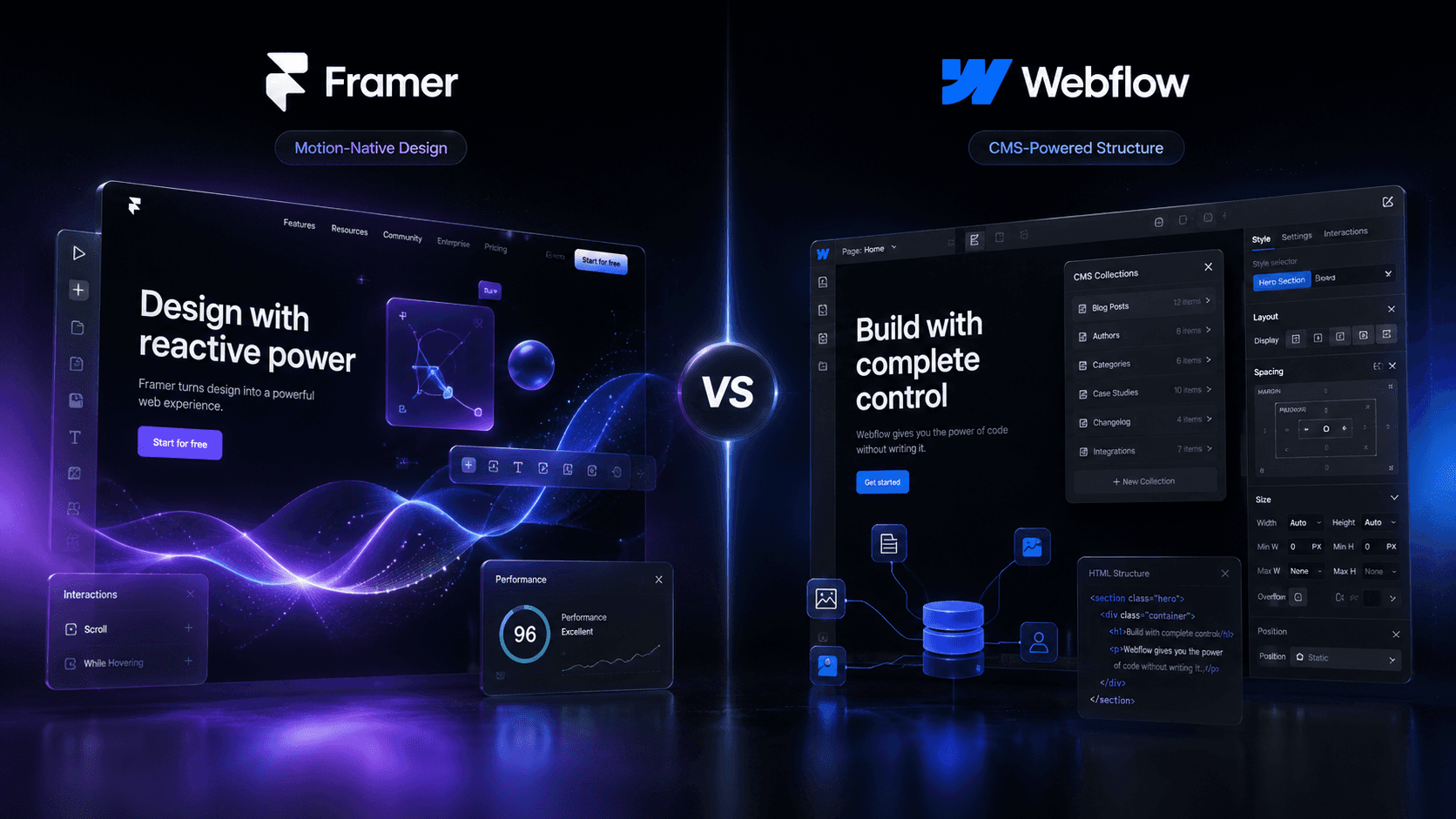
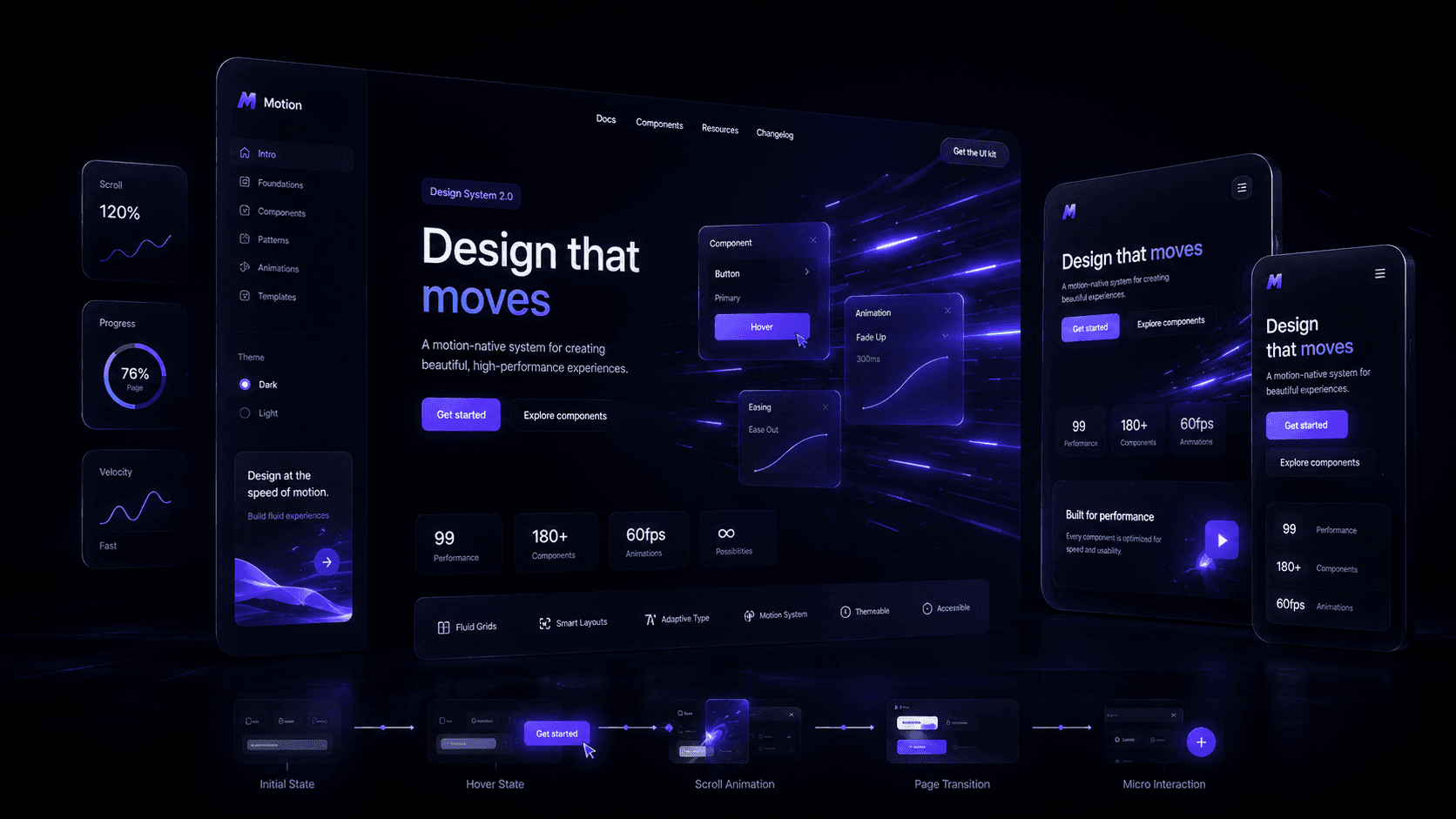
Framer: Design That Moves
Framer was built by designers, and it shows. Its layout engine is built on CSS Grid and Flexbox natively, meaning what you design is what renders — no abstraction layer between your intent and the output. Smart Components allow you to build interactive, stateful UI elements (tabs, toggles, hover states) without writing code.
The motion capabilities are genuinely unmatched in no-code tooling. Spring physics, scroll-linked animations, staggered entrance animations, and parallax effects are all built in — and they output clean, hardware-accelerated CSS transitions rather than JavaScript-heavy animation runtimes.
The result: Framer-built SaaS sites consistently look like they were built by a design team with a full engineering sprint behind them. AI startup founders specifically gravitate toward Framer because the aesthetic density — glassmorphism, dark-mode-first palettes, fluid motion — aligns with where the market's visual language is heading in 2026.
One point worth noting from IFEMON Studio's work with AI SaaS clients: Framer's component system allows for rapid iteration between design and live site, often cutting the design-to-launch timeline by 40–60% compared to Figma-to-Webflow handoff workflows. When a founder wants to test three homepage variants in a week, that speed is a genuine competitive advantage.
Webflow: Power, But With Overhead
Webflow's Designer is enormously capable — arguably more configurable at the granular CSS level than Framer. You can build virtually any layout. The component system is mature, symbols work predictably, and the class-based styling architecture scales well on larger team projects.
But Webflow's complexity cuts both ways. The learning curve is steeper, the interaction builder (IX2) is powerful but not intuitive, and the design-to-publish loop has more friction. For an early-stage founder or a lean agency building for speed, that overhead compounds.
Webflow also doesn't export clean, usable React code. If your engineering team ever wants to migrate to a custom stack, you're working with Webflow's generated HTML/CSS — not a clean component library.
Verdict: Framer wins on modern design output and iteration speed. Webflow wins on low-level CSS control and team-scale project management.
4. CMS Features: The Honest Assessment
This is the category where Webflow most clearly holds the advantage — for now.
Webflow CMS: The Gold Standard in No-Code
Webflow's CMS is relational, flexible, and deeply integrated with design. You can:
Build custom content schemas with 20+ field types (rich text, reference, multi-image, color, etc.)
Create reference and multi-reference relationships between collections
Nest CMS data into complex page layouts visually
Power dynamic pages, filtered lists, and conditional visibility with CMS fields
Template SEO metadata across collection items
For SaaS companies running a full content marketing operation — blog, case studies, changelogs, integrations directory, customer stories — Webflow's CMS is a genuine engine. Editors can manage content without touching design.
Framer CMS: Sufficient for Most SaaS Sites
Framer's CMS has improved considerably through 2024–2025 updates but remains simpler. It handles:
Basic text and media fields
Dynamic collection pages
CMS-driven blog and resource sections
Per-item SEO templating
What it doesn't do well (yet): complex relational data, deeply nested collection references, and advanced filtering. If your content strategy involves linking blog posts to author profiles to related products to categories — you'll hit Framer's CMS ceiling.
However, for the majority of early-stage SaaS sites, the CMS need is modest: a blog, a changelog, maybe a case study index. Framer handles these cleanly. The constraint only becomes real when content operations scale.
Verdict: Webflow wins meaningfully on CMS. For most early-stage SaaS sites, Framer's CMS is sufficient. Plan for migration at content scale.



5. Pricing: A Clearer Win for Framer at the Startup Stage
Pricing is where platform choice has real budget implications, especially for bootstrapped and seed-stage founders.
Framer Pricing (2026)
Plan | Price | Includes |
|---|---|---|
Free | $0 | 1 site, Framer subdomain, limited pages |
Basic | ~$10/mo | Custom domain, 1 site, basic analytics |
Pro | ~$20/mo | Custom domain, unlimited pages, CMS, 1,000 CMS items |
Business | ~$35/mo | Advanced analytics, 10,000 CMS items, staging |
Framer also offers site-level billing (per project) rather than workspace-level, which keeps costs predictable for agencies building multiple client sites. There are no "CMS collection item overage" fees that suddenly spike your bill.
Webflow Pricing (2026)
Plan | Price | Includes |
|---|---|---|
Basic | ~$18/mo | Custom domain, static sites only |
CMS | ~$29/mo | CMS collections, 2,000 items |
Business | ~$49/mo | 10,000 CMS items, advanced features |
Enterprise | Custom | SSO, SLA, custom limits |
Webflow's pricing adds up faster, especially when you factor in workspace plans (separate from site plans) that you need for collaboration. A small team with an agency can easily find themselves paying $49/month for the site + $35/month for the workspace + $19/month for the form handling add-on.
For a seed-stage SaaS with a lean marketing budget, Framer's pricing efficiency is a genuine operational advantage.
Verdict: Framer is meaningfully more affordable at the startup stage. Webflow's costs scale faster as you add team seats, site plans, and add-ons.
6. Developer Experience & Handoff
This matters more than founders often realize — because the relationship between your marketing site and your product team will eventually require code touchpoints.
Framer: React-Native Architecture
Framer publishes React. This means:
Custom React components can be imported directly into Framer projects
Code overrides allow developers to extend components without breaking the design system
Export paths to custom hosting exist for teams who outgrow Framer's hosting
Design tokens translate cleanly to your product's design system
For AI SaaS teams building on Next.js or Remix, Framer's output is philosophically aligned with their stack. Shared component logic between the marketing site and product UI becomes feasible.
Webflow: Clean HTML, Not Clean React
Webflow generates high-quality semantic HTML and CSS — but it's not component-based in a React sense. Custom code embeds exist and work well for adding scripts, but they're not the same as a composable component architecture.
For Webflow, the developer handoff story is better framed as: "design owns the marketing site, engineering owns the product" — with clear separation. That separation is fine, but it limits synergy.
Verdict: Framer wins for SaaS teams on modern JavaScript stacks.
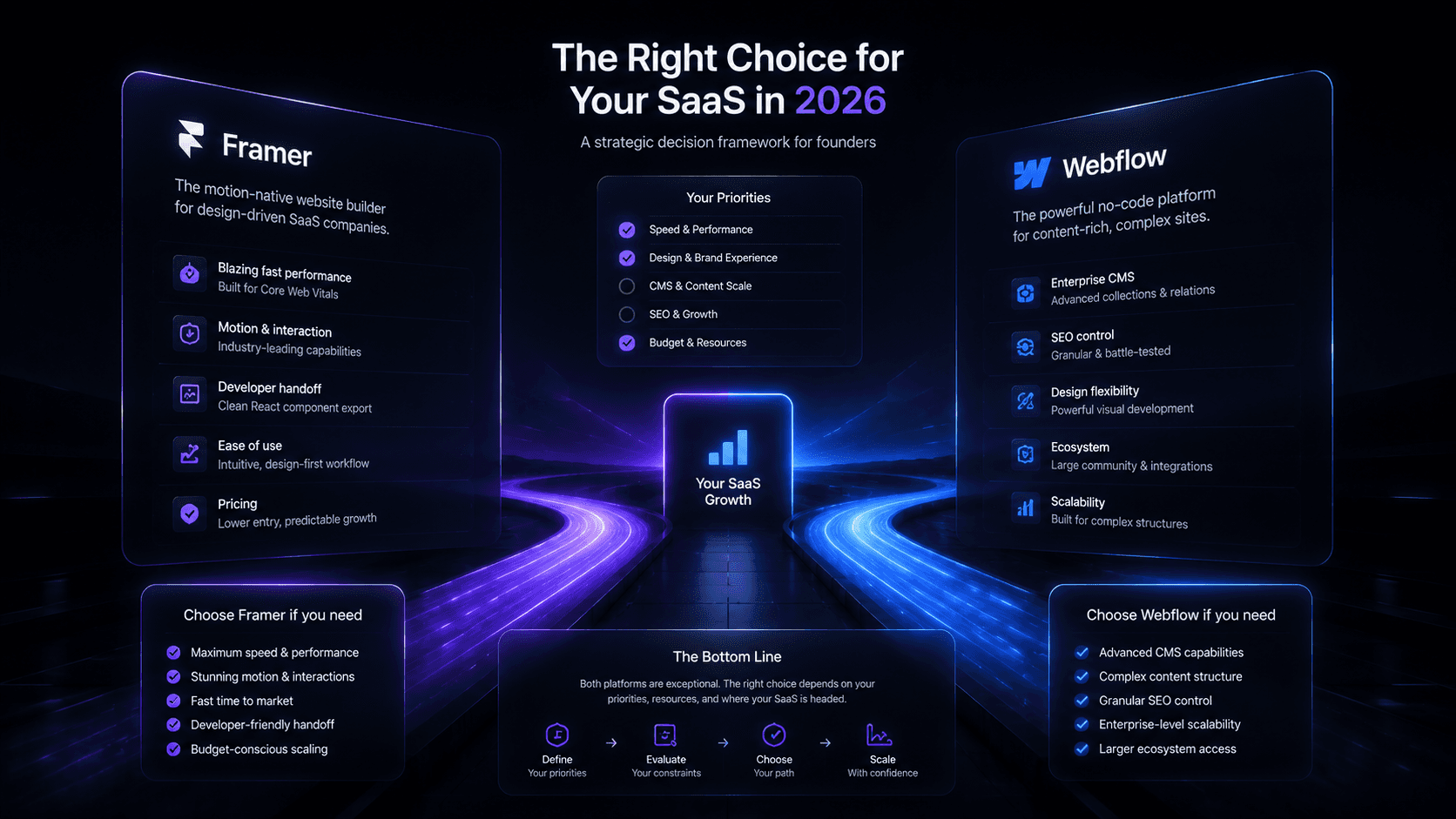
7. When to Choose Each Platform
Choose Framer if:
You're an early-stage or seed-stage SaaS (pre-Series A)
Your brand is design-led — you want to look premium, modern, motion-rich
Speed to launch and iteration speed matter more than CMS sophistication
You're building in the AI or developer tooling space where visual polish is part of your credibility signal
Your content operation is lean (blog + changelog + a handful of landing pages)
You want clean React output with a path to custom development later
Budget efficiency matters
Choose Webflow if:
You're a growth-stage SaaS (Series A+) with a dedicated content team
You're running a programmatic SEO strategy with hundreds of collection pages
Your content schema is complex (relational data, multiple content types, editorial workflows)
You have a dedicated Webflow developer or agency on retainer
You need deep third-party integrations (HubSpot, Salesforce, Marketo native connectors)
The IFEMON Studio Perspective
IFEMON Studio builds exclusively on Framer for AI and SaaS clients — not by default, but by design decision. After evaluating both platforms across multiple client builds, the pattern that emerged is consistent: early-stage SaaS founders consistently see faster time-to-launch, lower ongoing maintenance costs, and stronger initial conversion rates on Framer-built sites, particularly when the brand needs to project a premium, modern identity to international enterprise buyers.
The typical Webflow build for a comparable SaaS site runs 20–35% longer in delivery time due to the platform's complexity overhead. Framer's component fidelity to the Figma design source also eliminates a full round of QA that's standard in Webflow projects.
This isn't a knock on Webflow — it's a genuinely excellent platform. But for the specific profile of an AI SaaS startup that needs to look world-class and launch fast, Framer's architecture is the better fit.
Final Scorecard
Category | Framer | Webflow | Winner |
|---|---|---|---|
Page Speed | 90–98 Lighthouse (typical) | 65–85 Lighthouse (unoptimized) | Framer |
Core Web Vitals | Strong out of box | Requires optimization | Framer |
SEO Fundamentals | ✅ Full coverage | ✅ Full coverage | Tie |
Programmatic SEO | Adequate | Superior | Webflow |
Design Flexibility | Motion-native, modern | CSS-deep, complex | Framer (for SaaS) |
CMS Depth | Basic–moderate | Advanced | Webflow |
Developer Handoff | React-native | HTML/CSS | Framer |
Pricing (startup) | ~$20/mo effective | ~$50–80/mo effective | Framer |
Ecosystem maturity | Growing rapidly | More established | Webflow |
Iteration speed | Fast | Moderate | Framer |
Overall for early-stage SaaS: Framer wins 6–3.
Bottom Line
If you're an early-stage SaaS founder who needs a site that converts, loads fast, looks premium, and doesn't require a full-time Webflow specialist to maintain — Framer is the right call in 2026.
If you're post-Series A with a content team running a full inbound engine and need CMS sophistication to match — Webflow earns its complexity cost.
For most of the founders reading this, you're in the first camp. Build on Framer. Get your conversion infrastructure right. Scale your CMS needs when your content operation demands it — and migrate when the math justifies the investment.
IFEMON Studio is a Framer-specialized web design agency based in Dhaka, Bangladesh, building high-converting websites for AI and SaaS startups globally. If you want a second opinion on your current site's conversion infrastructure, start here.
More to explore
Show Projects